Real-time cleaning tracking for reliable turnovers
Use real-time cleaning tracking to automate your turnovers. Connect your listings by API, assign cleaners automatically, and get timestamped photo proof every time.

Jonathan Lalinec
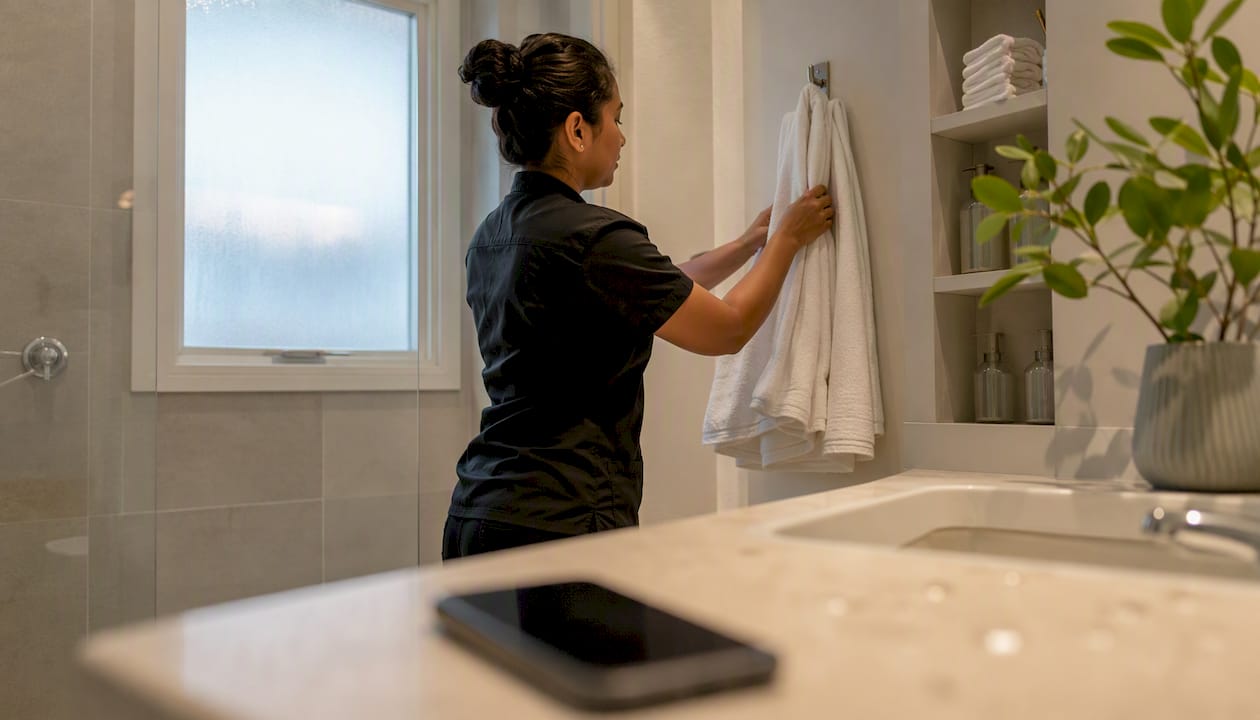
Adopt a SaaS app for real-time cleaning tracking, connected by API to your booking calendars. It is the most reliable method to automate, schedule and oversee cleaning across a short-term rental portfolio.
Three actions to take today:
- Connect your PMS or your platforms (Airbnb, Booking.com, Abritel) via API rather than an iCal feed.
- Enable automatic notifications to your cleaners and set a default assignment for each property.
- Require timestamped photo or video proof at the end of every cleaning job.
For this kind of use, a solution like CleanClac already brings together booking sync, mobile access for each cleaner, and photo reports in a single tool.
Key takeaways
Real-time cleaning tracking relies on API sync, automatic assignment, and systematic photo proof to secure every turnover.
| Point | Details |
|---|---|
| Prefer API over iCal | API avoids the sync delays of several hours seen with standard iCal feeds. |
| Automate assignment | Every checkout should generate an assigned, confirmed task without any manual intervention from the manager. |
| Require timestamped proof | Photos and videos reduce disputes and speed up owner sign-off. |
| Track four key KPIs | On-time turnover rate, average turnaround time, cleaner no-shows, and average cleaning cost per turnover. |
| CleanClac as a recommended option | The app covers sync, assignment, visual proof, and mobile access for every cleaner. |
Table of contents
- Why real-time tracking changes how short-term rentals are managed
- What to expect from a real-time tracking solution
- How scheduling automation works
- 30-day operational deployment checklist
- Which KPIs to track to measure impact and prove ROI
- Handling the most common unexpected situations
- Pricing, setup, and contract points to check
- What hands-on experience actually reveals
- CleanClac, built for real-time cleaning tracking
- Sources
- Frequently asked questions
Why real-time tracking changes how short-term rentals are managed
The average turnover window is tight between one guest's checkout and the next guest's arrival. In that gap, there is no margin for a forgotten checklist or a cleaner who replies late.
Cleanliness is now considered the single most decisive factor in booking decisions, and a notable share of turnovers are disrupted by a scheduling error or an unplanned absence. Manual tracking, whether by WhatsApp group or shared spreadsheet, only catches these problems after the fact, often when a guest is already standing at the door.
A real-time tracking system changes three things in practice:
- It eliminates most missed cleans by generating the task automatically as soon as checkout is detected.
- It stabilises the quality guests perceive, property by property, regardless of which cleaner is assigned.
- It frees up the time managers spent chasing teams by phone or message.
What to expect from a real-time tracking solution
Not all cleaning management apps are equal. Some offer nothing more than a shared calendar; others run the entire operation end to end. Here is what sets a solution apart when it needs to handle a portfolio of ten, fifty, or two hundred properties.
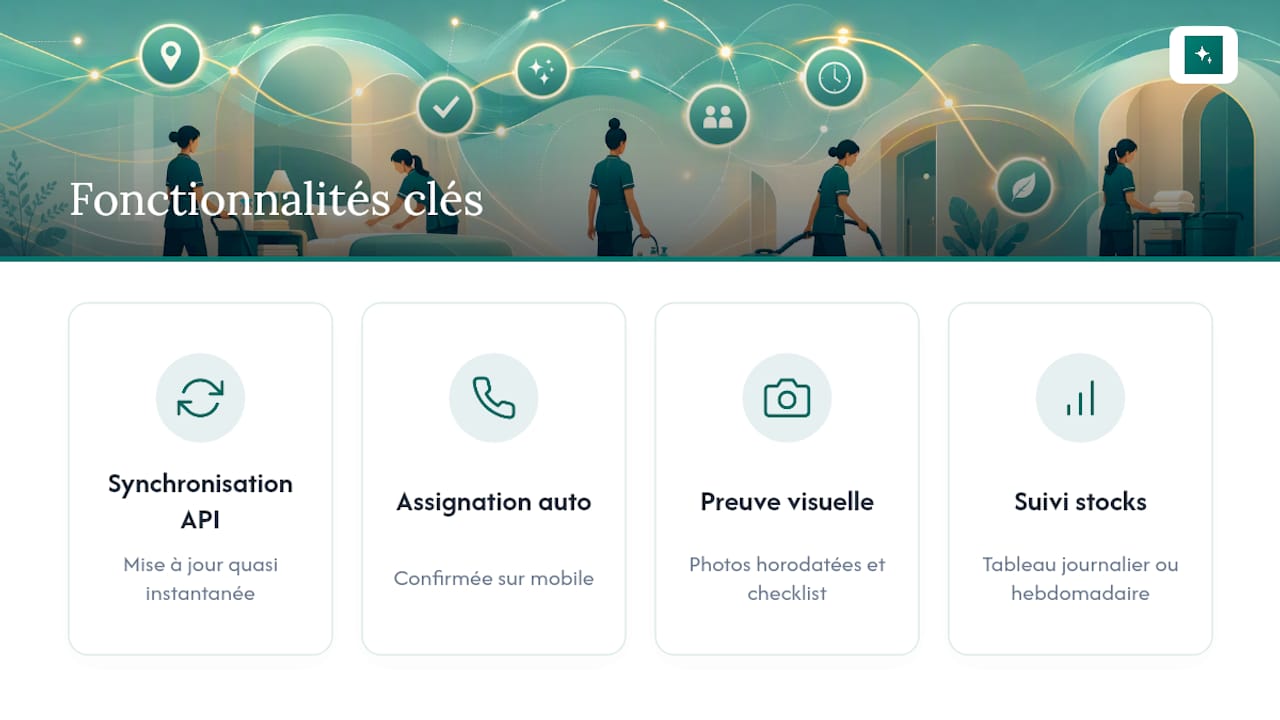
Booking sync must run through API, not iCal. iCal feeds can show sync delays ranging from several minutes to several hours, which makes tracking unreliable as booking frequency increases. A direct API integration with Airbnb, Booking.com, or a PMS updates property status almost instantly, with no lag between the actual checkout and task creation.
Assignment must be automatic, with cleaner confirmation. As soon as a reservation ends, the task goes to the most suitable available team, and the cleaner confirms they have accepted it from their phone. This automation makes coordination nearly hands-free for the manager.
Timestamped visual proof is the foundation of trust. Photos or video on arrival and at the end of the job, a digital checklist tailored to the property type, individual mobile access for each cleaner: these elements turn an unverifiable verbal report into evidence that can be reviewed at any time.

Supply tracking and dashboards close the loop. Without visibility into linen, coffee, or cleaning product stock, even the best schedule eventually causes a shortage. A daily or weekly dashboard lets you spot underperforming properties before guests start complaining.
How scheduling automation works
The journey from a reservation to a supervised clean follows a precise sequence, one the tool orchestrates without constant input from the manager.
- Checkout detection. The PMS or platform API signals the end of a stay as soon as the checkout time is reached or confirmed.
- Automatic task creation. The system creates the cleaning job, applies the checklist for that property, and sets the available window before the next arrival.
- Priority rules applied. Assignment takes into account the cleaner's location, skills, and declared availability.
- Notification and confirmation. The cleaner receives an alert on their phone and confirms acceptance, which triggers a visible checkpoint for the manager.
- Execution and proof. Once the job is done, timestamped photos and videos document the property's condition, a practice that reduces the need for physical inspections.
- Automatic decision points. A late checkout, a no-show, or a supply shortage triggers an alert, with the option to switch to an available local provider.
The same calendar sync logic applies to guest check-in: automating messages and check-in further reduces friction around the turnover.
30-day operational deployment checklist
A successful rollout follows a gradual pace rather than switching the entire portfolio over in a single week.
Days 0 to 7: choose your tool, connect your calendars via API, configure each property with its specifics (number of beds, checklist type, location) and set a default cleaner for each one.
Days 8 to 14: build detailed checklists by property type, create photo templates showing the expected state of each room, and define the minimum quality standards required before a job is signed off.
Experience shows that a gradual rollout reaches 80 to 90 percent automation within two to four weeks, with the remainder handled manually for edge cases.
Pro tip: never base your sync on iCal if you manage more than ten properties. The multi-hour delays seen on some feeds are enough to cause a missed turnover on a busy day.
Which KPIs to track to measure impact and prove ROI
A rollout is only as good as what it actually changes. Four metrics are enough to judge whether real-time tracking delivers on its promise:
- On-time turnover rate: the share of properties signed off before the announced arrival time.
- Average turnaround time: the actual duration from job start to finish, compared to the time allocated.
- Cleaner no-show rate: how often cleaners fail to show up without advance notice.
- Average cleaning cost per turnover: including labour, supplies, and any emergency surcharges.
The ROI calculation is straightforward: multiply the administrative hours saved each week by your hourly rate, then compare that figure to the monthly subscription cost. Managers who automate report enough reduction in admin workload to generate an ROI several times the cost of the tool over a year.
Timestamped photos and reports also have a direct impact on disputes: dated visual proof limits contestations and speeds up owner sign-off, which in turn reduces refund requests related to cleanliness.
Handling the most common unexpected situations
No system, however well configured, eliminates every unexpected event. What changes is the speed of response and the record left for each incident.
| Scenario | Recommended action |
|---|---|
| Late checkout from the previous guest | Automatic rescheduling of the cleaning window and alert to the assigned cleaner |
| No-show from the assigned cleaner | Immediate switch to an available local provider via an integrated marketplace |
| Back-to-back turnovers with very little time | Apply an emergency surcharge and prioritise by location |
| Supply shortage (linen, products) | Buffer stock identified in advance and automatic restocking alert |
In every case, the key is maintaining traceability: photo timestamps, assignment logs, notification history. These elements serve both to limit the immediate commercial impact and to document your team's performance over time.
Pricing, setup, and contract points to check
Setup time typically ranges from a few days for a small portfolio to two or three weeks for a large multi-PMS operation, before the majority of turnovers run on autopilot.
Before signing, check these points:
- Do the included integrations cover your current platforms (Airbnb, Booking.com, Abritel, Vrbo) and your PMS?
- What sync reliability is promised, and is it based on API or iCal?
- How are cleaner and property data hosted and protected?
What hands-on experience actually reveals
Most failed rollouts come down to one mistake: trying to automate everything at once without first making the sync reliable. Always prioritise API integration before building sophisticated checklists, set up your photo templates from day one, and segment your teams by location rather than alphabetically by property. These are simple details, but they determine whether the system holds up on a busy Saturday.
CleanClac, built for real-time cleaning tracking
For a manager who wants to move from a shared spreadsheet to a reliable system without months of configuration, CleanClac brings together in a single app everything this guide has covered: booking sync for Airbnb, Booking.com and other platforms, automatic or manual assignment, timestamped photo and video proof, supply stock management, and individual mobile access for each cleaner.

This combination makes tracking operational from the first days of use, with dashboards that give instant visibility into the status of every property. For cases where a regular cleaner is unavailable, the app also lets you find a local provider without disrupting the schedule. If you are still comparing options, the CleanClac vs alternatives comparison details the functional and pricing differences.
The best way to judge the tool is to test it on your own portfolio: visit the CleanClac product page to start a trial and connect your first property.
Sources
- Sync Speed and Reliability: API vs iCal Connection
- Industry Data Exposes Importance of Cleanliness in Booking Decisions - The DailyMoss
- Vacation rental housekeeping: manage quality guide
- Airbnb Cleaning Automation: How to Simplify Turnovers at Your Short-Term Rental
Frequently asked questions
What is real-time cleaning tracking?
It is the ability to know, at any moment, the cleanliness status of a property (to clean, in progress, ready) via an app connected to your reservations, backed by timestamped photo or video proof.
Should you choose API or iCal to sync reservations?
API, because iCal feeds can have sync delays ranging from 15 minutes to several hours, whereas a direct API integration updates the property status almost instantly.
How long does it take to set up a tracking tool?
Does CleanClac work for small agencies as well as large portfolios?
Which metric should you track first after going live?
The on-time turnover rate, because it directly reflects operational reliability before you even look at costs or guest satisfaction.


