Coordinate Cleaning and Maintenance in Short-Term Rentals
Learn how to coordinate cleaning and maintenance between stays: roles, scheduling, checklists, fault reporting, and stock tracking in one single workflow.

Jonathan Lalinec

Coordinating cleaning and maintenance in a short-term rental means keeping three things in one single workflow: guest checkout and check-in times, a written checklist your cleaner follows at every turnover, and a single channel for reporting anything broken, worn out, or missing. When cleaning also serves as a property inspection, every visit becomes a check, and repairs are scheduled before a guest discovers them. Here is how to structure that process, whether you manage one flat or a whole portfolio.
In brief
- Cleaning is the only regular visit to the property: make it the entry point for maintenance, with an inspection at every turnover.
- Every job is built around the actual checkout and check-in times, with a measured duration, a buffer, and a named backup cleaner.
- A room-by-room checklist with end-of-job photos makes quality independent of anyone's memory.
- Issues are classified by impact: safety and leaks immediately, equipment failures before the next check-in, preventive maintenance during quiet periods.
- Supplies are tracked job by job, not in a spreadsheet updated on Sunday evening.
Contents
- Why cleaning and maintenance should be managed together
- Dividing responsibilities between manager, cleaner, and tradesperson
- Scheduling around checkout and check-in times
- The checklist as a shared tool for cleaning and technical inspection
- Reporting and prioritising faults
- Tracking supplies and quality without extra admin
- A three-tier maintenance calendar
- Our view: the cleaner is your property's best sensor
- Setting this up with CleanClac
- Where to start: a five-step plan
- FAQ
- Sources
Why cleaning and maintenance should be managed together
In a short-term rental, the property changes occupants frequently. Between stays, the first person to walk in is almost always the cleaner. They see the stain on the sofa, the blown bulb, the blackening grout, the dripping tap. If that information stays in their head or gets lost in a message thread, the problem waits for the next guest.
Keeping the two functions separate, with a cleaning schedule on one side and tradespeople called in ad hoc on the other, produces three familiar failures:
- Problems discovered too late, often by a guest who then leaves a review.
- Maintenance jobs that clash with a cleaning or a check-in, because no one has a shared view of the calendar.
- Inconsistent consumable stocks, because nobody connects what gets used to what gets reordered.
Coordinating means deciding who sees what, who makes the call, and how quickly it gets resolved. The sections below follow that order: roles, scheduling, inspections, reporting, and supply tracking.
Dividing responsibilities between manager, cleaner, and tradesperson
Building maintenance guides have long described the same division of labour. The preventive maintenance guide published by the Société d'habitation du Québec states that the maintenance manager organises the service around the needs of their organisation, and that tasks can be grouped by trade to improve efficiency. It also notes that the on-site operative carries out minor work immediately and seeks authorisation for anything that takes more time or money.
On the North American side, the training manual of the National Apartment Association assigns the site manager and maintenance supervisor a proactive role: knowing what work needs doing, building a daily, weekly, and long-term plan, setting a budget, and communicating regularly. The manager also sets quality standards and achievable targets.
Applied to a short-term rental, this produces a simple split:
| Role | What they do | What they do not decide alone |
|---|---|---|
| Manager or owner | Sets standards, budget, priorities, and repair timelines | Does not manage the schedule for every individual turnover |
| Cleaner | Follows the checklist, takes photos, reports faults, handles minor immediate fixes (changing a bulb, replacing batteries if stock allows) | Repairs that require a budget or a tradesperson |
| Tradesperson | Fixes faults, in line with the priority communicated | Access to the property without manager approval |
The key principle: the cleaner spots and reports, the manager decides, the tradesperson fixes. Everyone must know where to put information and who receives it.
Scheduling around checkout and check-in times
The schedule is not built around a generic working day but around each individual booking. A French guide on cleaning team turnovers sets out a method that can be used as-is:
- Create a job with the checkout time, the check-in time, and the expected duration.
- Ask the cleaner to confirm explicitly.
- If there is no reply within the set deadline, reassign the job to a backup.
- Update the job and notify the cleaner whenever a booking changes.
- Give priority to same-day check-ins.
The same guide stresses what the schedule must account for: the actual size of the property, late checkouts, same-day arrivals, travel time, and a backup solution, ideally someone who already knows the property.
Measuring the real duration of a turnover
The duration shown in a table is often optimistic. Time several complete turnovers, including linen, the final check, and restocking, then add a buffer to absorb a late checkout or an unexpected stain. A one-bedroom flat with two bathrooms takes far longer than a studio, and a turnover that includes a technical inspection takes longer than a quick vacuum. Record these durations per property: they become the foundation of your schedule.
Managing same-day check-ins
When checkout is at 11 am and check-in is at 3 pm, the window is tight and every minute counts. In that situation, maintenance must never be scheduled at the last minute within the same window. Keep technical jobs for days when the property is empty, and notify the cleaner as soon as the guest has left so they are not kept waiting. We cover the method in detail in our guide on cleaning for a same-day turnover.

To avoid re-entering booking data by hand, a cleaning schedule generated automatically from your bookings removes the most fragile step: the one where someone copies a date and gets it wrong by a day.
The checklist as a shared tool for cleaning and technical inspection
A good checklist does not simply say "clean the bathroom". It describes the expected result, room by room, in observable terms: floor dry, grout free of marks, consumables in place, bin emptied and new bag fitted. A useful base covers:
- linen and beds;
- bathroom and toilet;
- kitchen, including appliances;
- floors and bins;
- consumables (toilet paper, soap, cleaning products, capsules or coffee depending on what you offer);
- equipment and furniture reset;
- a check for forgotten items.
Writing precise, room-by-room standards is precisely what separates consistent results from results that depend on how the cleaner is feeling that day. A very detailed example of daily property monitoring can be found in this guide on room-by-room cleaning tasks, which shows how to prepare a property before guests arrive.
For a ready-to-use list, our illustrated library of 166 cleaning tasks and our guided illustrated checklist can be customised property by property. A prose version is also available: the complete cleaning checklist.
Adding safety and property condition checks
The preparation checklist published by Airbnb for hosts provides a core set of checks to build into every turnover: cleaning complete, locks or codes ready, smoke and carbon monoxide detectors working, fire extinguisher and first-aid kit available, equipment undamaged.
These are thirty-second checks that, once built into the cleaner's checklist, remove the need for a separate technical visit. Add others depending on your property: Wi-Fi, room temperature, kitchen appliances, linen and towels, and less visible surfaces (under beds, behind furniture).
End-of-job photos
A photo of each room at the end of a clean serves three purposes: remote quality control without an on-site visit, proof of the property's condition in the event of a dispute, and spotting an issue that a text description would miss. A cleaning report with time-stamped photos keeps that evidence in the same place as the checklist, so you are never hunting for an image in a message thread.
Reporting and prioritising faults
A report is only useful if it is immediate, illustrated, and classified. Three rules are enough.
1. One channel only. The cleaner reports from their phone during the job, with a photo. No standalone text messages, no voice note to the manager at the end of the day.
2. Classify by impact. A simple grid works for most properties:
| Level | Examples | Target response |
|---|---|---|
| Urgent | Water leak, power cut, safety hazard | Immediate action |
| Before next check-in | Air-conditioning failure, appliance fault, stiff lock | Resolved before the next guest arrives |
| Plannable | Paintwork, grout, preventive maintenance | Quiet period |
3. Track every issue to closure. A report without a status quickly becomes a duplicate. Every fault must have an owner, a date, and a visible resolution, including for the cleaner who raised it.
Property managers who have documented their processes recommend the same logic: notify the cleaning team as soon as a guest checks out to eliminate dead time, and use an app with photos to classify jobs by their actual priority.
When your regular cleaner is not available
An unexpected absence (illness, transport problem, last-minute booking) is the real test of any system. Keep a backup cleaner who already knows the property and its access, and know who to reassign the job to quickly. CleanClac lets you invite your team or find a local cleaning professional at no extra cost when something comes up.
Tracking supplies and quality without extra admin
The common mistake is to add a separate tracking tool for each topic: a spreadsheet for stock, a messaging group for photos, a calendar for schedules. Admin then grows faster than the number of properties.
The alternative is to attach each piece of information to the job that produces it:
- Stock: the cleaner flags what is running low at the end of a clean, triggering an alert when a threshold is reached. Our stock management module tracks consumables job by job.
- Quality: the completed checklist and photos replace check-up calls. You see the actual duration, any gaps, and guest feedback all in one place.
- Teams: each operative accesses only their own jobs from their smartphone, via a team management app that needs no training and no complex account setup.
The shorter the loop, the more likely it is to be used. A cleaner who has to fill in a ten-field form will eventually stop filling it in.
A three-tier maintenance calendar
Preventive maintenance works best in cadences, each one tied to a cleaning visit.
- Every stay: visual inspection, damage check, verification of essential equipment (detectors, lock, kitchen appliances).
- Monthly or quarterly: more thorough checks, safety equipment tests, linen condition review, small equipment and durable consumables (batteries, bulbs).
- Once or twice a year: deep clean and annual maintenance, scheduled during a quiet period, covering soft furnishings and rugs, behind and under large appliances, windows, grout, and tiling.
Quiet periods depend on location: a city-centre flat does not have the same off-season as a coastal holiday home. Our seasonal deep-clean protocol and our guide to cleaning holiday rentals at the seaside, in the mountains, or in the countryside set out these rhythms by property type.
Our view: the cleaner is your property's best sensor
We always see the same thing with managers who are just starting out: they think in two separate blocks, cleaning on one side and repairs on the other. Yet the only regular pair of eyes on the property belongs to the cleaner. In our view, that makes them far more than an operative: they are the first link in the maintenance chain.
That is why we built CleanClac around the person doing the job. Every cleaner has their own smartphone access with a very simple interface, because information that takes three minutes to enter never gets entered. Jobs are created from Airbnb, Booking.com, Vrbo, and all the main PMS platforms, reports carry photos and videos, and stock tracking flags shortages at the right moment.
We also made a deliberate choice: no commission on jobs. The tool is there to organise your team, not to take a cut of every clean. And if a job falls through, you can invite your own team or find a local professional at no extra cost.
Our belief is simple: a reliable operation rests on a small number of tools, used by everyone, at every turnover.
Jonathan
Setting this up with CleanClac
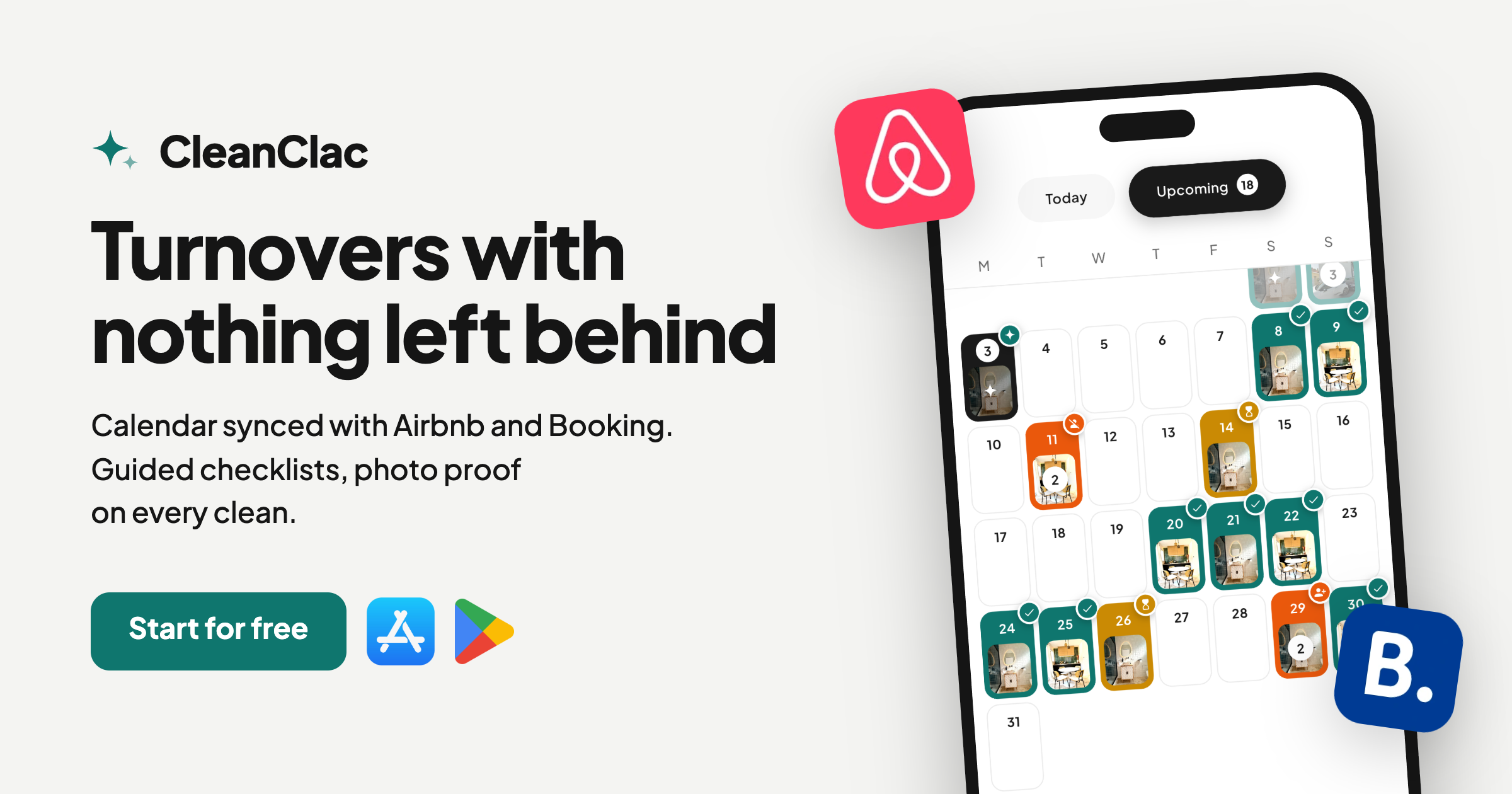
CleanClac automates cleaning schedules from your bookings, notifies cleaners, brings together checklists, photos, and stock tracking, and gives every operative their own mobile access. That covers the core of the workflow described above, with no manual data re-entry.
Pricing is a subscription per active property, published on the pricing page:
| Plan | Monthly price | Annual price |
|---|---|---|
| Free | No published price | No published price |
| 2 properties | 9.99 € per month | 59.99 € per year |
| 3 or 4 properties | 14.99 € per month | See pricing page |
| 5 properties | 19.99 € per month | 119.99 € per year |
| Each additional property | 4 € per month per property | 24 € per year per property |
Annual pricing is detailed in our price comparison. To explore all features, visit CleanClac.
Where to start: a five-step plan
- List your properties, recording the actual duration of a turnover measured over several visits for each one.
- Write a checklist per property, with observable standards and safety checks.
- Set the reporting rule: one channel, one photo, one urgency level.
- Name a backup cleaner per property and set a deadline for job confirmation.
- Schedule preventive work during quiet periods, with a cadence per stay, per quarter, and per year.
This sequence can be rolled out in a week for a small portfolio. The important thing is to close the loop: spot, report, decide, fix, and close.
FAQ
Who should handle maintenance: the cleaner or the property manager?
The cleaner spots and reports issues, including with a photo. The manager decides on priority and budget, then brings in the right tradesperson. The cleaner can handle minor on-the-spot fixes, such as changing a light bulb, if that is built into their checklist.
How much time should I leave between checkout and check-in?
There is no universal answer: it depends on the size of the property, the number of bathrooms, and the linen. Time several complete turnovers including the final check and restocking, then add a buffer for a late checkout or an unexpected stain.
What should I do if a fault is discovered just before a guest arrives?
Classify it by impact. A leak, a power cut, or a safety risk must be dealt with immediately. An appliance or air-conditioning failure must be resolved before the next check-in. Notify the manager with a photo, and have a backup tradesperson ready.
Do I need a dedicated tool to coordinate all of this?
Not for a single property, but it becomes useful as soon as bookings, cleaners, and stock multiply. A dedicated tool removes the need to re-enter booking data and keeps checklists, photos, and fault reports all in one place.
Sources
- Société d'habitation du Québec, Section 5: preventive building maintenance
- National Apartment Association, Property Maintenance for Managers
- Tips Airbnb, cleaning team turnovers in short-term rentals
- Airbnb, host checklist: is your listing ready?
- Veil Concierge, step-by-step check-in guide


