Calculate the ROI of Cleaning Software in 4 Steps
A practical method for cleaning SMEs: calculate the ROI of cleaning software in 4 steps, with a worked example and a decision checklist.

Jonathan Lalinec

A well-configured cleaning software tool typically pays for itself within a few months for a mid-sized cleaning SME. Scattered tools like Excel, WhatsApp and phone calls already cost heavily in admin hours. The three levers that matter most in this calculation: hours saved on scheduling, fewer billing disputes, and better client retention. The method below lets you run the numbers for your own situation.
In brief:
- The return on investment of cleaning software is generally measured over 12 to 36 months, factoring in admin hours saved, fewer disputes, and improved client satisfaction.
- Total costs include the subscription, integration, training and maintenance, as well as hidden costs tied to data migration and resistance to change.
- Targeted training and smooth integration into existing workflows are essential to maximise adoption and the value delivered after rollout.
- Checking criteria such as compatibility and support, and setting measurable targets, reduces risk before committing to a solution.
Table of contents
- What to include in the ROI calculation for cleaning software
- Which metrics to measure before and after rollout
- How to calculate ROI step by step, with a worked example
- How to optimise ROI once the tool is live
- How CleanClac turns these levers into measurable gains
- Questions to ask before committing
- Where to find CleanClac guides and tools to go further
- Further reading
- Sources
- Frequently asked questions
What to include in the ROI calculation for cleaning software
The return on investment of a cleaning management tool follows a straightforward formula: divide gains generated minus total cost by total cost, over a given period. This standard approach, borrowed from enterprise software evaluation, must be adapted to the realities of the cleaning industry to remain useful for an operations manager.
The usual trap is looking only at the subscription price. The true total cost of cleaning software includes several items that are easy to overlook when comparing options:
- The monthly or annual subscription, generally billed per active site or property.
- Integration fees with existing tools such as accounting software, PMS or HR scheduling systems.
- Team training time, which is often underestimated even though it weighs on productivity in the first few weeks.
- Maintenance and support, sometimes included and sometimes billed separately depending on the service level.
- Hidden costs: migration of historical data, resistance to change, and temporary overlap of old and new tools during the transition.
Industry guides consistently stress this point: ROI is measured as much on organisational gains as on direct savings, which means training and integration must be included in the calculation, not just the price shown on the tariff page.
Over what period should ROI be observed? A window of 12 to 36 months gives a reliable picture. Under 12 months, learning-curve effects still distort the figures. Beyond 36 months, other variables such as portfolio growth or team changes cloud the reading. For a business managing short-term rental properties where turnover is rapid, the lower end of that range is often enough to reveal the trend.
Which metrics to measure before and after rollout
ROI cannot be demonstrated without a baseline. The most common mistake managers make is deploying a tool and then searching for proof of gain after the fact, with no clear reference point to compare against.
Four indicators deserve close tracking from the month before rollout:
- Admin hours per cleaner and per property: time spent scheduling, chasing and manually checking rotas, measured over a typical week before the switch.
- Disputes and incorrect billing: number of complaints tied to a missed or poorly documented clean, and the rate of invoices challenged for lack of proof of visit.
- NPS, client ratings and retention rate: these indicators often respond with a lag of several weeks after rollout, so they need to be tracked over time rather than as a snapshot.
- Cleaner turnover and margin per client: secondary but revealing indicators, since a tool that simplifies on-site work tends to retain staff more effectively.
Pro tip: measure lost hours separately for managers (scheduling, billing) and for cleaners (clocking in, instructions). The two groups respond differently to a new tool, and lumping them together often masks where the real gain lies.
On the numbers side, a calculator designed for cleaning companies estimates that scattered tools cost a business of 8 to 15 cleaners between 7 and 10 hours per week, putting the annual cost at between €14,700 and €21,000 depending on the structure. That gap is what a well-deployed software tool should close, and it feeds directly into the ROI calculation set out in the next section.
Reliable billing deserves a separate mention: sector analyses on digital ROI in the cleaning industry consistently identify it as a distinct source of gain beyond simple on-site productivity, because it touches cashflow and the client relationship directly.
How to calculate ROI step by step, with a worked example
The formula to keep in mind: ROI = (annual gains minus annual total cost) divided by annual total cost, expressed as a percentage. This approach, documented in standard software ROI methodologies, holds for a cleaning management tool as long as the right variables are used.
In practice, the process runs in four steps:
- Quantify hours saved by multiplying the number of hours recovered per week by the fully loaded hourly rate of the person concerned (manager or cleaner), then annualise the result.
- Add savings on disputes: number of complaints avoided multiplied by the average cost of handling a dispute, including partial refunds, management time and lost bookings.
- Factor in additional revenue linked to quality: a higher average client rating often translates into better placement on booking platforms and, in turn, a higher occupancy rate.
- Compare the total against the full annual cost (subscription plus integration plus training) to arrive at the ROI percentage and the payback period.
Here is a worked example for an SME with 10 cleaners managing around 40 short-term rental properties, over 12 months:
| Item | Annual amount |
|---|---|
| Software cost (subscription + integration + training) | €3,600 |
| Hours saved (8 h/week × €25/h fully loaded × 48 weeks) | €9,600 |
| Disputes avoided (12 cases × €150 average cost) | €1,800 |
| Additional revenue linked to quality (improved occupancy) | €2,400 |
| Total gains | €13,800 |
| ROI | 283% |
In this example, the cost is recovered in just under four months, with the rest of the year generating a net gain. The payback period is simply the total annual cost divided by the average monthly gain. A break-even point reached before the sixth month signals a solid investment for this type of business. Beyond 9 to 12 months, it is worth revisiting the gain assumptions or renegotiating the contract.
How to optimise ROI once the tool is live
Rollout is only half the work. A tool that goes underused through lack of training, or that is poorly integrated into existing workflows, will never deliver on the figures in the initial calculation.
Training should target specific roles rather than running a generic session for everyone: managers need to master reporting and billing, while cleaners primarily need fluency with the mobile app. Tracking a simple adoption metric, such as the rate of cleaning reports completed with photos, quickly reveals whether uptake is lagging.
Adapting existing workflows matters just as much: rebuild current checklists inside the tool, connect workflows to accounting integrations already in place, and avoid running the old system in parallel for more than a few weeks.
- Schedule a review at 30, 60 and 90 days to compare the KPIs measured before rollout against the actual figures.
- Set up a simple weekly report covering hours saved, disputes and client ratings, shared with on-site managers.
- Appoint an internal point of contact responsible for surfacing adoption blockers before they become workaround habits.
Pro tip: do not judge ROI on the first month alone. Gains linked to client satisfaction and lower staff turnover often take several months to show up, whereas admin hour savings are visible almost immediately.
How CleanClac turns these levers into measurable gains
CleanClac was built to address the levers described above directly, in the specific context of short-term rentals where every booking triggers a clean that must be coordinated within a tight window.
- Automatic scheduling based on reservations from Airbnb, Booking.com, Abritel and Vrbo eliminates manual rota entry, the heaviest admin hours item identified above.
- Individual mobile access for each cleaner reduces coordination calls and communication errors that feed disputes.
- Real-time reports with photos and videos provide proof of visit that limits the billing challenges discussed in the KPI section.
- Stock and supplies tracking prevents shortages that delay a clean and directly threaten the rating from the next arriving guest.
For a multi-property manager, the fastest payback scenario typically comes from cutting coordination calls and billing disputes, two items that automation addresses within the first weeks of use.
Questions to ask before committing
Before signing, check the SLA on offer, compatibility with your current PMS, ownership of your data, and the support channels available. Set measurable success criteria at 30, 90 and 180 days rather than vague objectives. A pilot on a small number of properties before full rollout lets you validate your savings assumptions without putting the entire portfolio at risk.
, Jonathan
Where to find CleanClac guides and tools to go further
CleanClac is a tool that keeps you in control of coordination while eliminating the hours lost to calls and follow-ups identified earlier in this article.

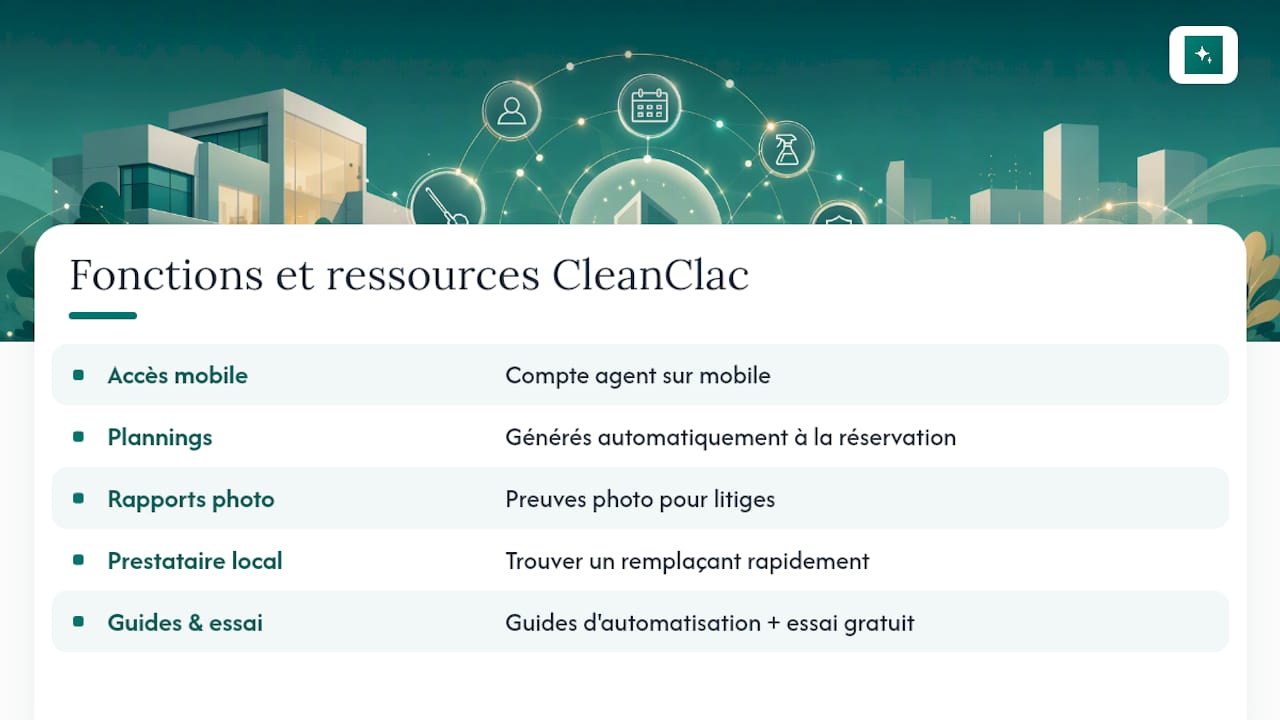
In practice, each cleaner has their own mobile login, schedules are generated automatically as soon as a booking comes in, and you get photo reports that serve as evidence in the event of a dispute with a guest. For situations where an unexpected absence leaves you without an available cleaner, the app also lets you quickly find a local cleaning provider near your properties.
If you already manage several short-term rental properties and manual coordination is costing you several hours a week, the guides on automation in short-term rentals explain how to get started, and the app overview lets you start a free trial and test the ROI calculation on your own portfolio.
Further reading
The Proprely ROI calculator for cleaning companies lets you estimate your own hourly losses. Also see our comparison of Airbnb cleaning software for 2026 and our page on Airbnb cleaning software pricing.
Sources
- ROI calculator for cleaning companies · Proprely
- Airbnb management software: 2026 comparison, pricing and selection criteria
Frequently asked questions
What is the best software for a cleaning company?
It depends on your business: for a company specialising in short-term rentals with cleans tied to Airbnb or Booking.com reservations, a tool like CleanClac provides automatic scheduling and on-site tracking suited to that precise pace.
What is the best software for managing cleaning staff?
The decisive criterion is individual mobile access for each cleaner, which cuts coordination calls and gives real-time visibility over assigned tasks and visit reports.
Is there a free organiser tool for managing a cleaning schedule?
Free tools such as shared spreadsheets exist, but they require manual entry that creates exactly the time losses quantified earlier in this article, which limits their value beyond a handful of properties.
What management software is most widely used in short-term rentals?
There is no universally dominant software. The choice depends mainly on the size of the portfolio and the booking platforms used, but direct integration with PMS systems remains the criterion that carries the most weight in real-world adoption.


