SMS Reminders for Cleaners: 48h, 24h and 1h Templates
Copy-ready SMS templates (48h, 24h, 1h) and a technical checklist to automate your cleaning reminders with no coding needed. For hosts and property managers.

Jonathan Lalinec
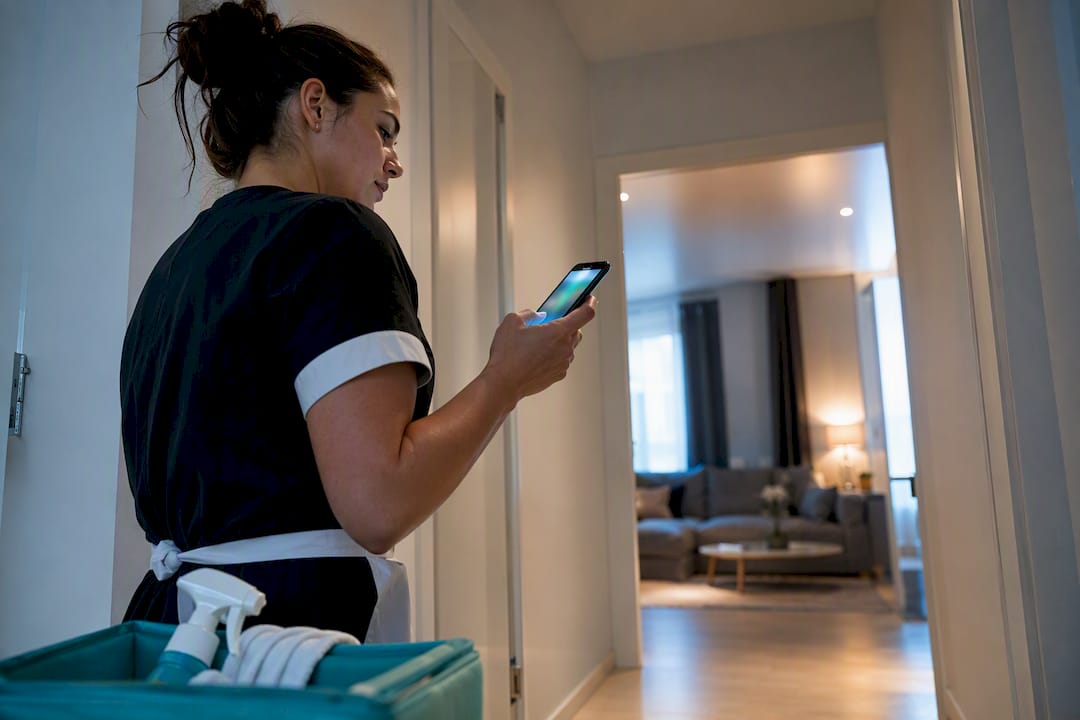
Send a short SMS with the property, the time, the task and a confirmation prompt such as "Reply YES to confirm", then automate sending through your booking calendar or a platform like CleanClac. Two-way SMS remains the most reliable way to track who has taken on which job, with no phone calls and no manual follow-up.
In brief:
- Automating SMS reminder sending through a connector between your calendar and an SMS platform eliminates manual follow-up and reduces missed cleanings.
- Use short, precise templates that state the property, the time and the task, and ask for a clear confirmation such as "Reply YES".
- Use a dedicated number and two-way SMS to increase response rates and build a reliable confirmation trail.
- Set up automatic follow-ups after a set period with no response, plus an escalation procedure to limit the risk of missed cleans.
- CleanClac makes it easy to sync bookings with the cleaning schedule, track confirmations and manage multiple properties and teams.
Table of contents
- Which SMS cleaning reminder templates should you use?
- How do you automate your cleaning reminders?
- How do you get more replies to your cleaning SMS messages?
- How do you roll out an operational SMS reminder checklist?
- What do SMS reminders look like for short-term rentals?
- What are the legal rules for sending reminder SMS messages?
- How do you measure the effectiveness of your SMS reminders?
- Editor's perspective: how CleanClac streamlines reminders and cleaning logistics
- Recommended solution: a practical overview of CleanClac
- Sources
- Frequently asked questions
Which SMS cleaning reminder templates should you use?
A good cleaning reminder fits in one clear sentence. It states the property, the time and the task, then offers a simple way to confirm, as recommended by platforms specialising in SMS communication with cleaning staff.
Reminder 48 hours before checkout:
- "Hi [Name], cleaning scheduled for [date] at [time] at [Apt X]. Please confirm your availability by replying YES."
Reminder 24 hours before, short version:
- "Reminder: cleaning tomorrow at [time] at [Apt X]. Reply YES to confirm."
Reminder 1 hour before for a team already on standby:
- "Guest checkout at [time]. Cleaning to start from [time+30 min] at [Apt X]. Key under the mat."
Urgent callout message:
- "Urgent [Apt X]: water damage reported. Available to attend today? Reply YES/NO."
These templates draw on the reminder message examples commonly used in service industries. The key: one piece of information per line, never a full paragraph, and always a clear action at the end of the message.
How do you automate your cleaning reminders?
Automation rests on a simple principle: an event in your calendar triggers an SMS, with no action needed from you.
- Identify your triggers. The most useful ones are a new booking coming in, a checkout being confirmed, and a slot opening up after a cancellation.
- Choose your connector. Either a webhook between your PMS (property management system) and your SMS tool, or a SaaS platform that handles this sync natively, as do the automated communication tools designed for rental managers.
- Set the technical parameters. The property's time zone (not your company's head office), a sensible sending window (between 8 am and 8 pm), a recurrence rule for weekly cleans, and a retry procedure in case of a failed send.
These rules can also be triggered by specific events such as a last-minute cancellation, which cuts down on missed jobs and duplicate messages when several properties are turning over at the same time.
Pro tip: Always set up an automatic follow-up after a reasonable period with no reply, before escalating manually to a backup cleaner. This safety net stops a clean from falling through the cracks on a busy Saturday morning.
How do you get more replies to your cleaning SMS messages?
A reminder that gets no reply is useless. Three adjustments make all the difference.
- Use a dedicated professional number, separate from your personal line, so your cleaners immediately recognise the sender and keep a clean record of exchanges.
- Go for two-way SMS: the cleaner replies "CONFIRMED" or "OK", and that reply becomes proof of acceptance, not just a one-way notification.
- Stay concise: property, time, task, then the reply instruction. Nothing else.
SMS has a clear advantage over app notifications. It requires neither installation nor an internet connection, making it reliable even for teams less comfortable with technology. Keep every confirmation in a tracking log, even a basic one, and set a clear escalation rule: no reply after two follow-ups means a direct call or reassignment to another cleaner.
How do you roll out an operational SMS reminder checklist?
Moving from one-off SMS messages to a reliable system takes structured setup, but it does not have to be complicated.
- Choose your number and sending platform. Decide whether a basic SMS is enough or whether you need two-way messaging to track confirmations.
- Draft and test your templates with a small group. Running a test with two to five cleaners before a full rollout lets you fine-tune the tone and sending times without risking a large-scale mistake.
- Launch, track confirmations and handle exceptions. A sick cleaner, a transport delay, an inaccessible property: have a quick replacement procedure ready, not a last-minute improvisation.
Pro tip: Add a property identifier in every message (for example #Apt42) as soon as you manage more than three properties. It speeds up assignment and simplifies your tracking reports.
A two-week pilot is usually enough to spot friction points before rolling the system out across your entire portfolio.
What do SMS reminders look like for short-term rentals?
A manager handling fifteen apartments across three booking platforms has no time to call each cleaner every time the calendar changes. Automated SMS solves this bottleneck by turning every confirmed booking into a concrete instruction for the on-the-ground team.
Take a checkout at 11 am followed by a check-in at 3 pm on the same day. The reminder must go out as soon as the departure is confirmed, with a clear window for the clean and a visible deadline for the cleaner. Property management platforms sync calendars and notifications in exactly this way: a new booking triggers a cleaning message, a confirmed checkout triggers a cleaning reminder, with no manual step from the manager.
For a cleaning company working with several property owners, the same principle applies at larger scale. Each cleaner receives only the reminders for their assigned jobs, with the address and the time, avoiding any confusion between neighbouring properties. Managers running rentals in high-turnover tourist areas, where the gap between two stays can drop to two or three hours, rely almost entirely on this kind of automation to meet their turnaround times.
What are the legal rules for sending reminder SMS messages?
Sending professional SMS messages to cleaners or contractors involves a few common-sense rules, even outside the typical commercial context.
Consent is the foundation: a cleaner must know they will receive SMS messages related to their work, generally through their contract or service agreement. This is not the same situation as commercial SMS prospecting, but the principle of transparency still applies.
GDPR governs the collection and retention of phone numbers within the European Union. In practice, this means keeping numbers only for the intended purpose (coordinating jobs), allowing cleaners to request deletion of their data, and not sharing those numbers with third parties without a legitimate reason.
For managers operating across several European countries, caution calls for checking local rules rather than assuming a single standardised practice applies everywhere.
How do you measure the effectiveness of your SMS reminders?
A reminder system is only as good as what it lets you track. Three metrics are enough to judge whether your approach is actually working.
The open rate is structurally high for SMS compared to email, because the notification appears directly on the phone's locked screen. This is one of the main reasons many managers prefer this channel over app notifications, which depend on an internet connection and active permissions.
The response rate measures real operational performance: how many cleaners actually confirm their assignment within the expected timeframe. This figure reveals whether your message template is too long, poorly worded, or sent at the wrong time of day.
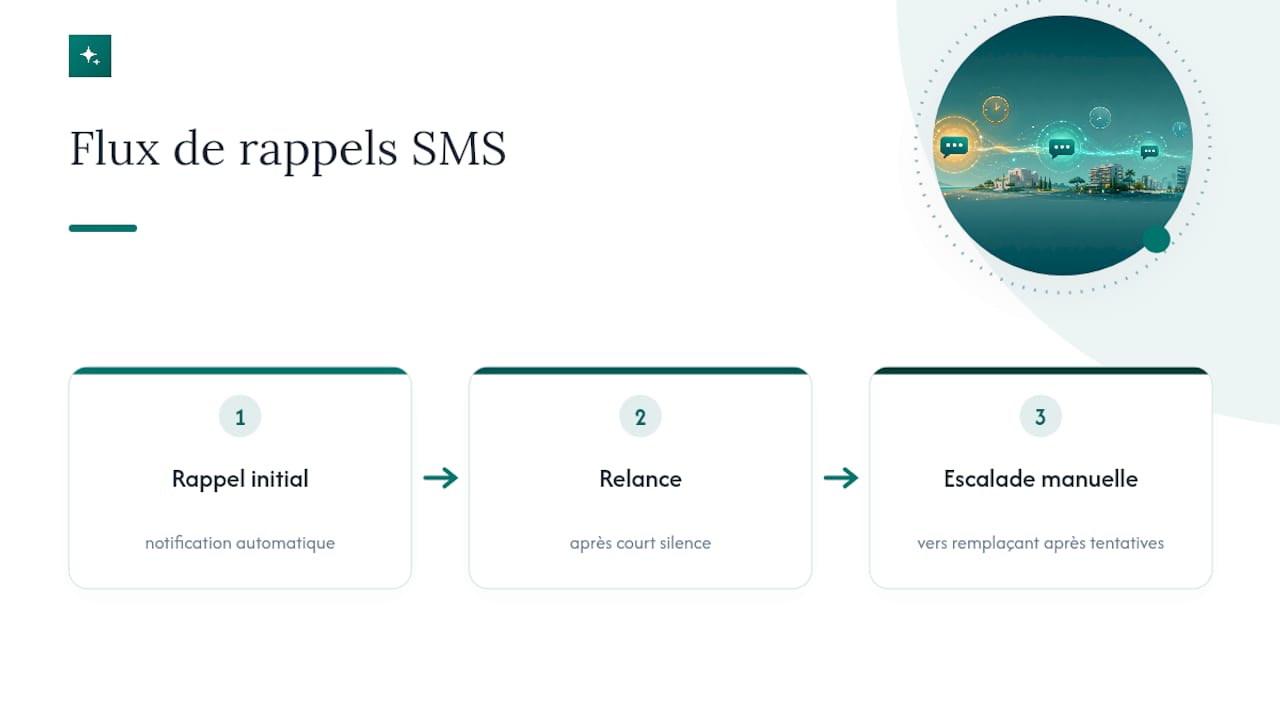
The impact on reducing missed cleans is best measured over time, by comparing the number of missed jobs before and after the system was introduced. The most effective workflows combine an automatic initial reminder, a follow-up if there is no reply after a short delay, then a manual escalation to a backup cleaner if no response arrives after several attempts. This three-level safety net limits unpleasant surprises on the day of the clean.
Editor's perspective: how CleanClac streamlines reminders and cleaning logistics
What I have noticed watching managers automate their reminders is that SMS alone never holds up for long. You need a system that connects the booking, the schedule and the cleaner's confirmation, otherwise you quickly fall back into manual follow-up.
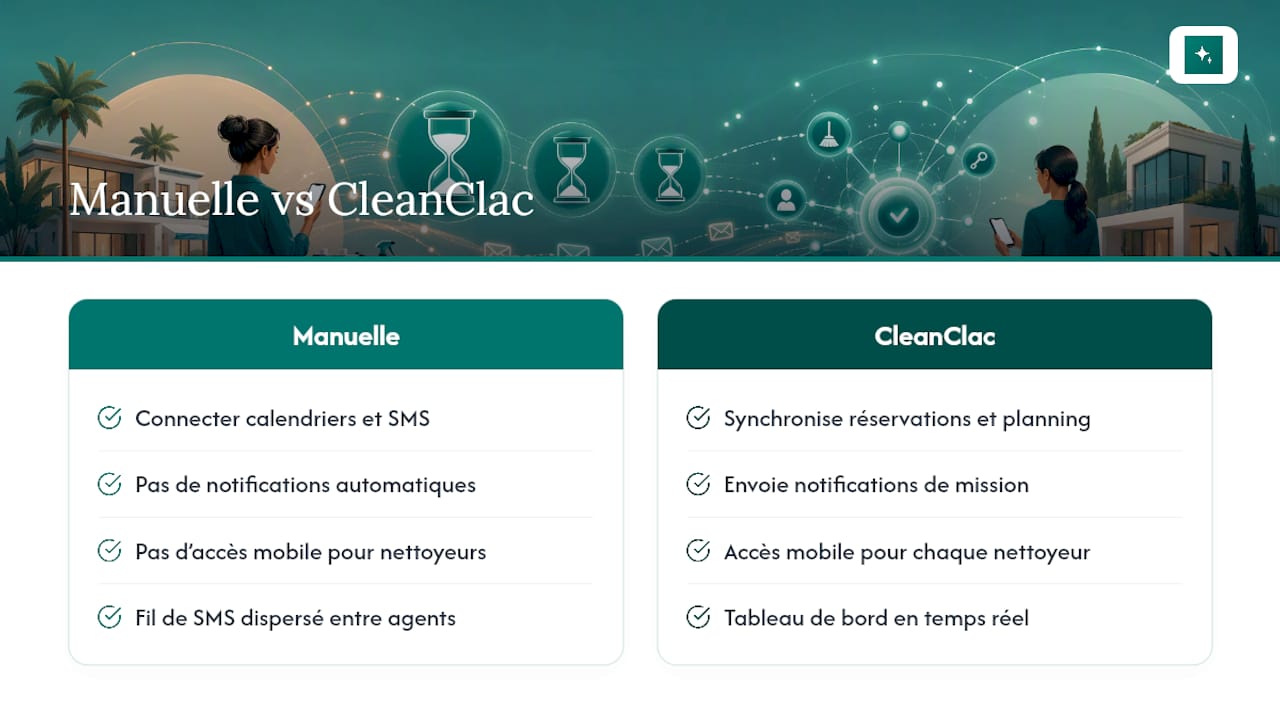
That is exactly what CleanClac covers. It syncs Airbnb and Booking.com reservations with automatic notifications sent to each cleaner via individual mobile access. Each cleaner sees their job, confirms their assignment, and the manager monitors everything with no phone calls. The real gain is not just the notification: it is the confirmation trail and the reduction in cleans missed through poor coordination.
, Jonathan
Recommended solution: a practical overview of CleanClac
You now have the templates and the settings to build a reliable reminder system. The longest step remains connecting calendars, SMS platforms and confirmation tracking yourself, on top of managing your bookings and your guests.

The platform automatically syncs your bookings with your cleaners' schedules, sends job notifications with no manual setup, and gives each cleaner mobile access to confirm their assignments. You get a real-time dashboard with photo reports and supply tracking, rather than a thread of SMS messages scattered across multiple cleaners and multiple properties.
This approach suits you particularly well if you manage several short-term rental properties, if you work with external cleaning teams, or if you want to cut down on jobs missed because of last-minute changes. If something unexpected comes up, you can also find a local cleaning contractor near you directly through the platform.
Find out how the CleanClac app works and test the sync with your own bookings.
Sources
Frequently asked questions
How do I write an SMS reminder for a cleaning?
Include the property, the time and the task, then add a clear instruction such as "Reply YES to confirm". Keep the message short, with no unnecessary filler.
What should a good cleaning reminder message say?
A simple template works well: "Cleaning scheduled for [date] at [time] at [Apt X]. Please confirm by replying YES."
How do I write a professional reminder message?
Use a dedicated number, a direct sentence and an explicit confirmation request. Avoid vague phrasing: name the property, the time and the expected action without ambiguity.
How can I receive cleaning reminders by SMS automatically?
By connecting your booking calendar to an SMS platform or a tool like CleanClac, which triggers sending as soon as a booking or a checkout is confirmed. No manual entry is needed once the system is set up.


