Double-booked cleaners: the rule that protects your schedule
Stop double-booking your cleaners: sync your calendars, automate job assignment, and set one firm rule about in-progress cleans you must never break.

Jonathan Lalinec
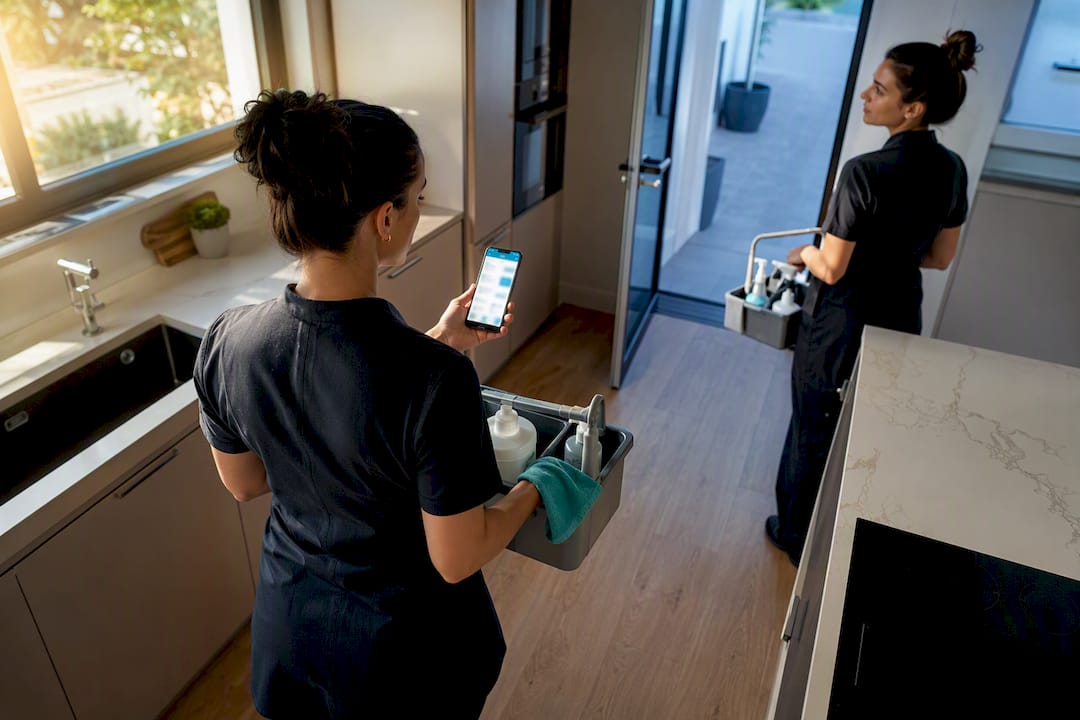
Automate the creation and assignment of cleaning jobs directly from your booking calendars, and enforce one non-negotiable rule: never cancel a job that has already started. Double-booked cleaners, the calendar overlap that sends two cleaners (or none) to the same property, can be fixed at the source with reliable syncing and secured with clear cancellation thresholds. A dedicated solution applies exactly this logic.
In brief:
- Reliable calendar syncing via a Channel Manager prevents double-booking by automatically detecting checkouts and creating cleaning jobs without manual input.
- The essential rule is never to cancel a job already in progress, especially one scheduled less than 4 hours out, to avoid penalising the cleaner or causing delays.
- Start automation with a pilot on a few properties, then adjust the rules before rolling out gradually across your full portfolio for the best results.
- Manual coordination can take more than 15 hours a week for 10 to 20 properties: automation integrated with booking management cuts that significantly.
- Reliable data exchange between the PMS, the Channel Manager, and the cleaning app is critical. AI is most useful for handling edge cases.
Table of contents
- What scenarios cause a double-booked cleaning job?
- How do you automate scheduling to prevent double-bookings?
- What to do when a booking changes after a cleaner has been assigned?
- How to roll out this automation step by step
- What automation really changes on the ground
- How to try CleanClac to eliminate your double-bookings
- Sources
- Frequently asked questions
What scenarios cause a double-booked cleaning job?
The most common cause is the proliferation of iCal feeds. A property listed on Airbnb, Booking.com, and Vrbo generates three feeds that do not always update at the same speed. That creates windows where a booking exists on one platform but is not yet visible on the others.
Last-minute changes make the problem worse. A guest who extends their stay by two days, or cancels the evening before arrival, triggers a schedule recalculation that few teams can follow in real time.
The third factor is purely organisational. Many managers still coordinate their cleaners by spreadsheet, text message, or shared calendar, with no automated assignment. That approach works at five properties. It breaks down beyond ten, the moment an unexpected checkout or a booking change shifts everything.
The operational consequences all look the same:
- Two cleaners sent to the same property, with the wasted time and awkwardness that brings.
- A turnover clean simply forgotten because nobody reassigned the job after a cancellation.
- A guest arriving at a property that has not been prepared, followed by a negative review.
- Hours lost every week manually cross-referencing calendars and messages.
How do you automate scheduling to prevent double-bookings?
Prevention starts with syncing. A Channel Manager connected to Airbnb, Booking.com, and Expedia eliminates the risk of overbooking at the calendar level itself, provided the configuration is correct and update delays stay short.
Here is the sequence that turns a booking into a cleaning job with no manual input:
- Checkout detection. The system automatically spots the departure date as soon as it appears in the synced calendar, whether that comes from a single iCal feed or several combined sources.
- Job creation. A task is generated according to the slot rules specific to each property: standard duration, deadline, access constraints.
- Smart assignment. The nearest available cleaner receives the job first, weighted by how tight the slot is.
- Cleaner confirmation. The job moves to confirmed status only after the cleaner accepts it on their smartphone, preventing silent gaps in the schedule.
- Quality control. A mandatory checklist with supporting photos, plus random inspections on a sample of properties.
The urgency of a slot comes down to one simple number: the gap between checkout and the next check-in. A four-hour window between an 11 a.m. checkout and a 3 p.m. check-in demands absolute priority, while a property free until the next day leaves comfortable room to absorb an unexpected change.
A studio takes 45 minutes to clean; a six-bedroom house can take two hours and two cleaners. Treating both with the same default duration is the single biggest source of scheduling errors.
For early check-in or late checkout requests, automated escalation notifies the manager, who assesses feasibility. Automated orchestration handles this better and better as the rules are refined over time.
What to do when a booking changes after a cleaner has been assigned?
The most important rule to apply is not technical, it is human: a serious system must never automatically cancel a job that the cleaner has already marked as "in progress." This safeguard stops a cleaner who has arrived on site, cleaning products already out, from losing their pay because a guest cancellation just came through.
- More than 24 hours before the job: automatic cancellation, the cleaner is notified immediately and remains available for another task.
- Between 4 and 24 hours: the job stays active by default; manual approval is required before any cancellation.
- Less than 4 hours, or job already started: no automatic cancellation. Partial or full compensation applies according to the policy set in advance.
Automatic replacement is triggered as soon as a cleaner becomes unavailable, with cascading notifications to the nearest available workers. Edge cases, such as two simultaneous checkouts at neighbouring properties or a guest extending their stay on the spot, must be covered by a written policy, not improvised on the day.
How to roll out this automation step by step
A successful rollout follows a precise order rather than switching all properties over at once.
- Initial inventory. List each property with its default cleaning slot, access constraints, and your cleaners' profiles: zones covered, skills, and availability.
- Sandbox test phase. Connect an iCal feed or a Channel Manager to two or three test properties, then simulate changes and cancellations to verify that jobs are created and removed correctly.
- Rule configuration. Define slots per property, priorities based on the checkout-to-check-in gap, and the cancellation thresholds described above. Free iCal-focused tools can serve as a test before investing in a full solution.
- Gradual scale-up. Move to a pilot on five to ten properties, hold a weekly review of incidents (duplicate dispatch, missed job, late turnover), and adjust the rules before rolling out to your full portfolio.
- Track the key metrics. The residual double-booking rate, average time between checkout detection and cleaner confirmation, job confirmation rate, and number of incidents per month should all fall with each iteration.
Pro tip: Do not aim for ten properties in the first week.
To put the expected gain in perspective: manual coordination absorbs 15 to 25 hours a week for a portfolio of 10 to 20 properties. That time drops sharply once jobs are generated automatically from the booking calendar.
What automation really changes on the ground
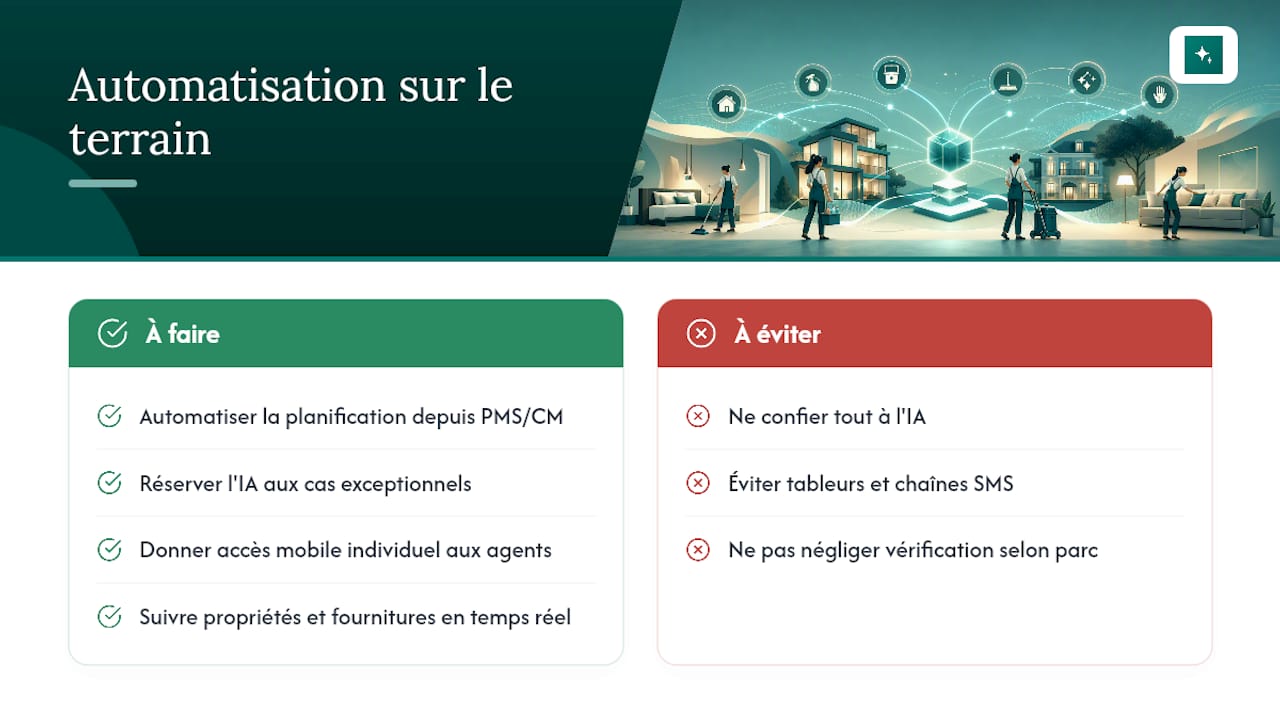
The real value is not AI in itself, it is the reliability of the data exchange between the PMS, the Channel Manager, and the cleaning app. AI has its place on edge cases: a late checkout to negotiate, a booking that changes three times in a day. It is not needed for the routine job that simply has to happen without error every single time.
A software solution fits this logic by automating cleaning schedules from Airbnb bookings and other connected platforms, without requiring complex manual management on the property manager's side. Each cleaner can have their own individual access on their smartphone, which simplifies job assignment and confirmation without going through a shared spreadsheet or a chain of text messages. Real-time property status reports, combined with supply tracking and cleaning performance data, can give managers better visibility than a spreadsheet. These points are worth verifying case by case according to your portfolio and your existing integrations.
, Jonathan
How to try CleanClac to eliminate your double-bookings
CleanClac turns your booking calendar into an automatic cleaning schedule, so you no longer have to cross-reference iCal feeds, spreadsheets, and cleaner messages yourself.

The app syncs your bookings with your PMS or iCal calendars, assigns jobs based on each cleaner's zone and availability, and collects photo evidence at every visit for quality tracking without a follow-up call. If you want to explore the topic before committing, the guides on automation for short-term rentals detail the available integrations, and the cleaning marketplace comparison helps you identify a backup provider for unexpected situations. If you have an urgent job to fill, you can also search directly for a cleaner available near you.
To see how your portfolio would behave under this automatic assignment logic, start with the full CleanClac app overview and run a trial on your first properties.
Sources
For more on calendar syncing and automating cleaning turnovers, see the Smoobu guide on Airbnb automation, the Nowistay guide on Airbnb turnovers, and the Escapades Inexplorées guide on cleaning scheduling. For background on the reliability of digital bookings, the Wild Foodz article on digital reservations offers useful context.
- Automating Airbnb management · Smoobu
- Automating cleaning and Airbnb turnovers · Nowistay
- Airbnb cleaning scheduling: how to automate everything · Escapades Inexplorees
Frequently asked questions
What exactly is a double-booked cleaning job?
It is an overlap between two bookings, or between a booking and an already scheduled job, that sends two cleaners to the same property or sends no one at all at the expected time.
What is the safest cancellation threshold before a cleaning job?
Automatic cancellation is safe more than 24 hours before the job; between 4 and 24 hours, manual approval is preferable; under 4 hours, no automatic cancellation should apply.
Is iCal enough, or do I need a Channel Manager?
iCal works well for a small number of properties on one or two platforms, but a Channel Manager becomes necessary as soon as multiple platforms and multiple properties are combined, because it cuts the update delay between calendars.
Can CleanClac handle automatic assignment of cleaners?
Yes, CleanClac automates job creation from bookings and lets you assign jobs to cleaners via their smartphones, with real-time tracking and photo reports.
How many properties do you need before full automation is justified?
From five properties upward, manual coordination becomes risky, and a dedicated platform with automated syncing and assignment becomes the minimum viable setup.


